AI Assistance
Deployments
Introduction
A deployment is a single execution of a task. Every time a task runs, it's one deployment, and a task can have many deployments over its lifetime. Every deployment captures the full conversation with the agent, including its reasoning, its tool calls, your replies, and the output the agent produced. The deployment also records its status, so you can see at a glance whether the work is running, completed, or threw a runtime error.
Deploy Tasks
Follow these steps to deploy a task:
- Log in to the Algorithm Lab.
- In the left navigation bar, click Organization > Agents.
- Click the Tasks tab.
- Click a task.
- Click .
The agent assigned to the task automatically boots up and starts working. To deploy a task on a recurring schedule instead of manually, see Schedule Work.
View Deployments
Follow these steps to view the deployments of a task:
- Log in to the Algorithm Lab.
- In the left navigation bar, click Organization > Agents.
- Click the Tasks tab.
- Click a task.
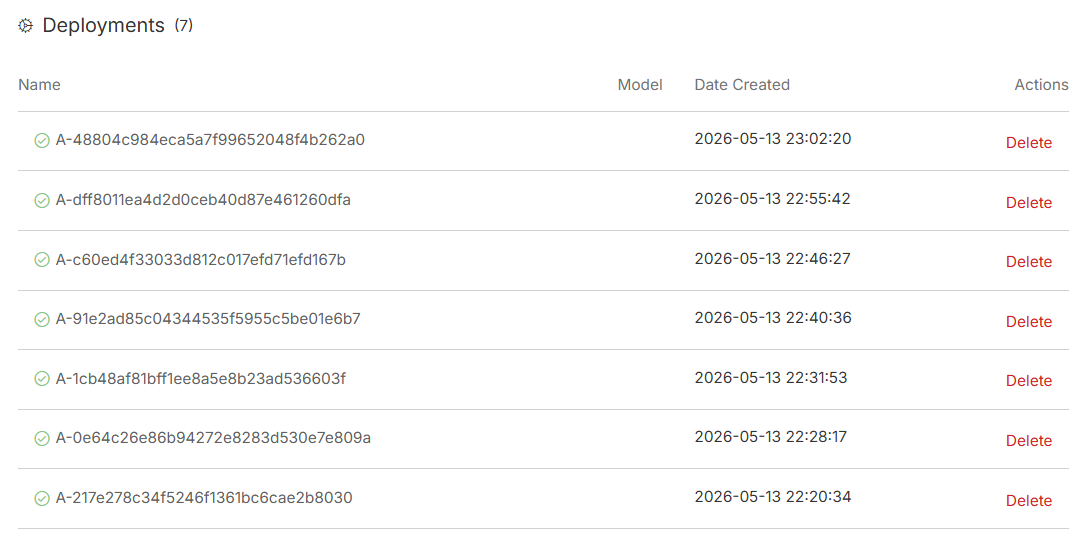
The task page lists every deployment, with the status of each one. Click a deployment to view the full agent conversation and output.
The deployment page shows the agent's full conversation, including its reasoning, tool calls, your replies, and the output it produced.
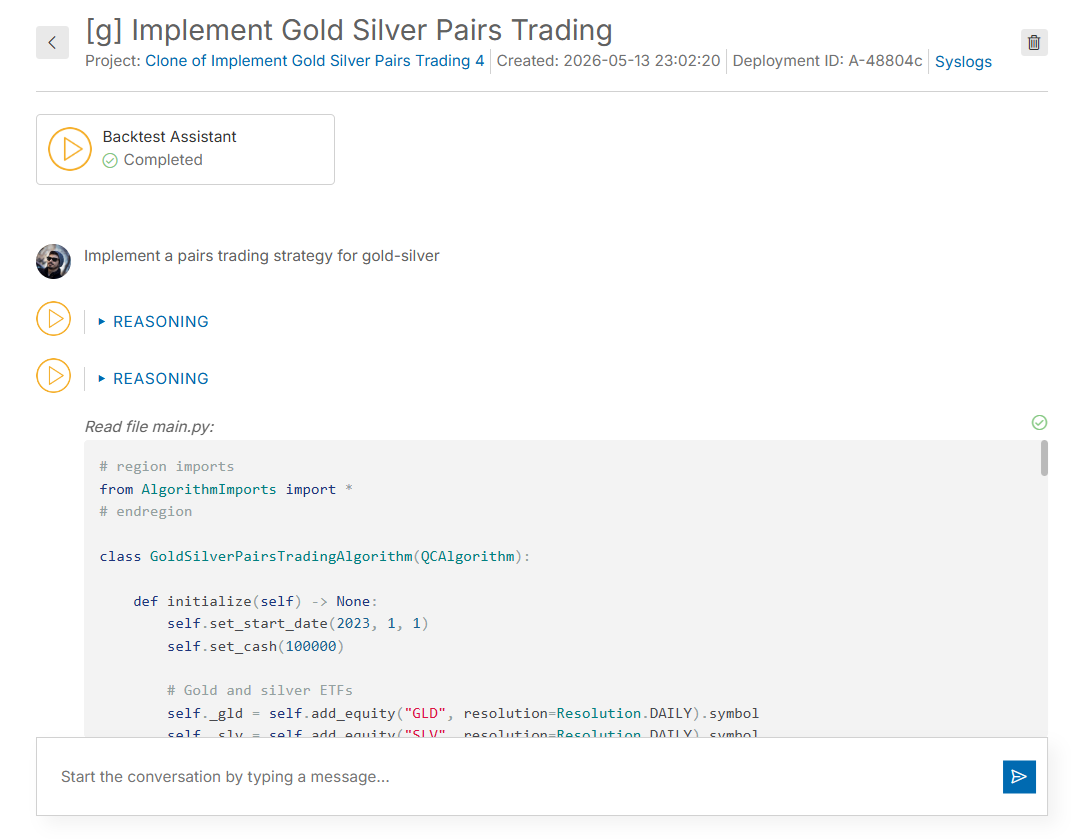
To open the project associated with the deployment, click the project link at the top of the deployment page.
Delete Deployments
Follow these steps to delete a deployment:
- Log in to the Algorithm Lab.
- In the left navigation bar, click Organization > Agents.
- Click the Tasks tab.
- Click a task.
- In the row of the deployment you want to remove, click .
- Click again to confirm.
Quotas
Agent nodes are the servers that run your agents—a harness for quant finance that wraps your AI models in the tools, data, and context they need to be productive. Agent nodes enable you to deploy agent tasks. The more agent nodes your organization has, the more concurrent agent tasks that you can run. More powerful agent nodes have more cores and RAM to handle larger, more demanding tasks. The following table shows the specifications of the agent node models:
| Name | Number of Cores | RAM (GB) | Agents |
|---|---|---|---|
| A-MICRO | 1 | 1 | 1 |
| A1-1 | 1 | 1 | 1 |
| A4-8 | 4 | 8 | 4 |
| A16-32 | 16 | 32 | 16 |
Refer to the Pricing page to see the price of each agent node model. Your first organization includes one free A-MICRO agent node, which is capped at 100,000 tokens per month. The token cap is lifted and the node is replaced when you upgrade your organization to a paid tier and add a new agent node. Paid agent nodes don't have the 100,000-token cap, but a fair use token allowance applies over a weekly rolling window. If you use tokens beyond the weekly quota, upgrade to the next agent node model or bring your own key.
To view the status of all of your organization's nodes, see the Resources panel of the IDE. When you launch an agent task, it uses the best-performing resource by default, but you can select a specific resource to use.
Troubleshooting
To check the status of the QuantConnect Cloud Platform, see our Status page.
You can also see our Videos. You can also get in touch with us via Discord.
Did you find this page helpful?
