Supported Indicators
Tom Demark Sequential
Introduction
This indicator represents the Tom Demark Sequential indicator, which is used to identify potential trend exhaustion points. This implementation tracks both the setup and countdown phases, and can be extended to handle bullish and bearish setups, as well as qualifiers such as Perfect Setups and Countdown completions. - **Setup Phase**: Detects a trend by counting 9 consecutive bars where the close is less than (Buy Setup) or greater than (Sell Setup) the close 4 bars earlier. - **TDST Support/Resistance**: After a valid 9-bar setup completes, the indicator records the **lowest low** (for Sell Setup) or **highest high** (for Buy Setup) among the 9 bars. These are referred to as Support Price(for Buy Setup) and Resistance Price (for Sell Setup), and serve as critical thresholds that validate the continuation of the countdown phase. - **Countdown Phase**: Once a valid setup is completed, the indicator attempts to count 13 qualifying bars (not necessarily consecutive) where the close is less than (Buy Countdown) or greater than (Sell Countdown) the low/high 2 bars earlier. During this phase, the TDST Support/Resistance levels are checked — if the price breaks these levels, the countdown phase is reset, as the trend reversal condition is considered invalidated.
To view the implementation of this indicator, see the LEAN GitHub repository.
Using TDS Indicator
To create an automatic indicator for TomDemarkSequential, call the TDStds helper method from the QCAlgorithm class. The TDStds method creates a TomDemarkSequential object, hooks it up for automatic updates, and returns it so you can used it in your algorithm. In most cases, you should call the helper method in the Initializeinitialize method.
public class TomDemarkSequentialAlgorithm : QCAlgorithm
{
    private Symbol _symbol;
    private TomDemarkSequential _tds;

    public override void Initialize()
    {
        _symbol = AddEquity("SPY", Resolution.Daily).Symbol;
        _tds = TDS(_symbol);
    }

    public override void OnData(Slice data)
    {

        if (_tds.IsReady)
        {
            // The current value of _tds is represented by itself (_tds)
            // or _tds.Current.Value
            Plot("TomDemarkSequential", "tds", _tds);
        }
    }
}
class TomDemarkSequentialAlgorithm(QCAlgorithm):
def initialize(self) -> None:
self._symbol = self.add_equity("SPY", Resolution.DAILY).symbol
self._tds = self.tds(self._symbol)
def on_data(self, slice: Slice) -> None:
if self._tds.is_ready:
# The current value of self._tds is represented by self._tds.current.value
self.plot("TomDemarkSequential", "tds", self._tds.current.value)For more information about this method, see the QCAlgorithm classQCAlgorithm class.
You can manually create a TomDemarkSequential indicator, so it doesn't automatically update. Manual indicators let you update their values with any data you choose.
Updating your indicator manually enables you to control when the indicator is updated and what data you use to update it. To manually update the indicator, call the Updateupdate method. The indicator will only be ready after you prime it with enough data.
public class TomDemarkSequentialAlgorithm : QCAlgorithm
{
    private Symbol _symbol;
    private TomDemarkSequential _tomdemarksequential;

    public override void Initialize()
    {
        _symbol = AddEquity("SPY", Resolution.Daily).Symbol;
        _tomdemarksequential = new TomDemarkSequential();
    }

    public override void OnData(Slice data)
    {
        if (data.Bars.TryGetValue(_symbol, out var bar))
            _tomdemarksequential.Update(bar);

        if (_tomdemarksequential.IsReady)
        {
            // The current value of _tomdemarksequential is represented by itself (_tomdemarksequential)
            // or _tomdemarksequential.Current.Value
            Plot("TomDemarkSequential", "tomdemarksequential", _tomdemarksequential);
        }
    }
}
class TomDemarkSequentialAlgorithm(QCAlgorithm):
def initialize(self) -> None:
self._symbol = self.add_equity("SPY", Resolution.DAILY).symbol
self._tomdemarksequential = TomDemarkSequential()
def on_data(self, slice: Slice) -> None:
bar = slice.bars.get(self._symbol)
if bar:
self._tomdemarksequential.update(bar)
if self._tomdemarksequential.is_ready:
# The current value of self._tomdemarksequential is represented by self._tomdemarksequential.current.value
self.plot("TomDemarkSequential", "tomdemarksequential", self._tomdemarksequential.current.value)For more information about this indicator, see its referencereference.
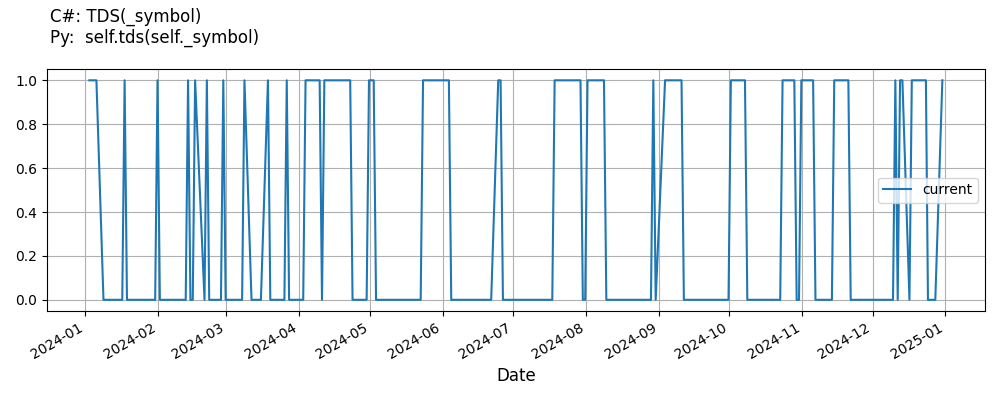
Indicator History
To get the historical data of the TomDemarkSequential indicator, call the IndicatorHistoryself.indicator_history method. This method resets your indicator, makes a history request, and updates the indicator with the historical data. Just like with regular history requests, the IndicatorHistoryindicator_history method supports time periods based on a trailing number of bars, a trailing period of time, or a defined period of time. If you don't provide a resolution argument, it defaults to match the resolution of the security subscription.
public class TomDemarkSequentialAlgorithm : QCAlgorithm
{
    private Symbol _symbol;
    private TomDemarkSequential _tds;

    public override void Initialize()
    {
        _symbol = AddEquity("SPY", Resolution.Daily).Symbol;
        _tds = TDS(_symbol);

        var indicatorHistory = IndicatorHistory(_tds, _symbol, 100, Resolution.Minute);
        var timeSpanIndicatorHistory = IndicatorHistory(_tds, _symbol, TimeSpan.FromDays(10), Resolution.Minute);
        var timePeriodIndicatorHistory = IndicatorHistory(_tds, _symbol, new DateTime(2024, 7, 1), new DateTime(2024, 7, 5), Resolution.Minute);
    }
}
class TomDemarkSequentialAlgorithm(QCAlgorithm):
def initialize(self) -> None:
self._symbol = self.add_equity("SPY", Resolution.DAILY).symbol
self._tds = self.tds(self._symbol)
indicator_history = self.indicator_history(self._tds, self._symbol, 100, Resolution.MINUTE)
timedelta_indicator_history = self.indicator_history(self._tds, self._symbol, timedelta(days=10), Resolution.MINUTE)
time_period_indicator_history = self.indicator_history(self._tds, self._symbol, datetime(2024, 7, 1), datetime(2024, 7, 5), Resolution.MINUTE)
You can also see our Videos. You can also get in touch with us via Discord.
Did you find this page helpful?
